
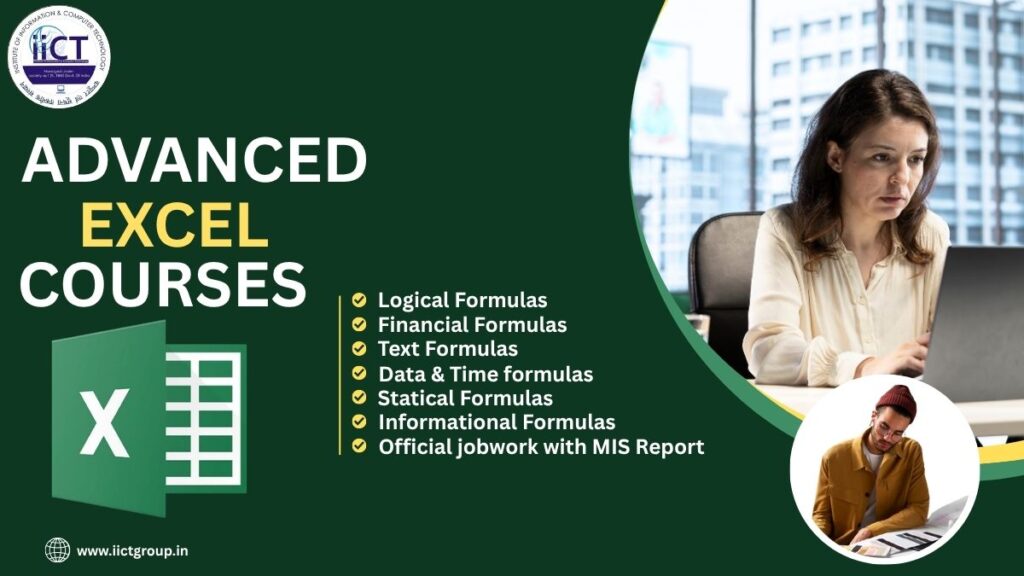
Meta Description– The best IICT computer institute in Ranipokhari, Advanced Excel Course to learn Excel formulas, Pivot Tables, charts, dashboards, and reporting skills for career growth. Get practical training and boost your job-ready Excel skills.
About US: Advanced Excel:-
Advanced Excel has become one of the most important skills for students, job seekers, office employees, accountants, and business owners,
Advanced Excel can be a game-changer
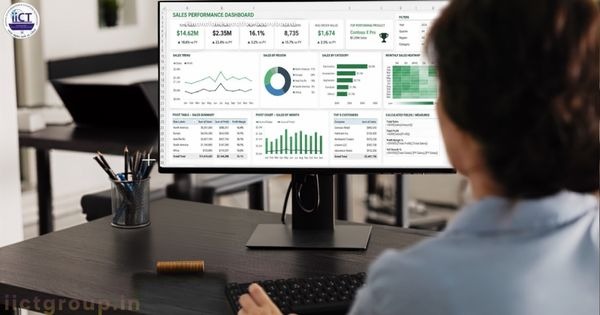
The Advanced Excel course at IICT computer courses covers all the essential and advanced features of Microsoft word Excel.
IICT Computer is the best provider of Advanced Excel courses in Ranipokhari.
The course is suitable for beginners in Excel skills.
Students learn formulas and functions such as VLOOKUP, HLOOKUP, MATCH, IF, SUM, COUNTS, and more. The training also includes Data Validation, Conditional Formatting, Data analysis, pivot table, pivot charts, and Report generation.
These Skills are highly valuable in offices, banks, Schools, hospitals, and businesses.
These Skills are highly valuable in offices, banks, Schools, hospitals, and businesses.
IICT computer is committed to providing Quality education at an affordable Fee. After Successful completion of the training, learners are awarded a certificate that adds value to their resume and improves employment opportunities.
Advanced Excel Course Modules are iict computer in the institute.
This module introduces the fundamentals of Advanced Excel and its importance in business applications. You’ll learn the basic interface, essential shortcuts, and how to set up professional spread sheets.
Data Analysis and Visualization

This module covers essential data analysis tools, including PivotTables, Pivot Charts, slicers, and dashboards. You’ll learn to efficiently organize and summarize large datasets, extract valuable insights, and create visually impactful reports. The course also explores conditional aggregation, dynamic charting, and interactive reporting techniques, equipping you with the skills to interpret data effectively for better decision-making and business intelligence.
Functions and Formulas
Gain mastery over advanced Excel functions, including VLOOKUP, HLOOKUP, INDEX, MATCH, IF, AND, OR, TEXT, ARRAY formulas, and financial functions. You will learn how to nest multiple functions, work with dynamic arrays, and apply logical, statistical, and lookup functions to automate complex calculations. This module also covers error handling (IFERROR, ISERROR) and troubleshooting formulas for better accuracy and efficiency.
Data Validation and Conditional Formatting
Use validation strategies like drop-down lists, input messages, and error notifications to guarantee data consistency and integrity. Discover how to use colour scales, icon sets, and formula-based formatting to highlight significant trends, duplicate numbers, and outliers using conditional formatting rules. Custom rule creation for automatic visual data analysis is also covered in this session. VBA Programming and Macros Learn how to automate Excel using VBA (Visual Basic for Applications) and macros. Learn how to create custom VBA functions, record, modify, and assign macros, and automate processes like data entry, reporting, and workflows. Advanced Charting Techniques
Master creating professional, dynamic, interactive charts to visualize complex data effectively. Learn how to create waterfall charts, Gantt charts, combo charts, radar charts, and spark lines for better storytelling. This module also covers chart customization, trend analysis, and advanced formatting techniques to make your presentations more impactful. Power Query and Power Pivot: This module gives students the tools they need to handle, clean, and transform large datasets effectively using Power Query. You’ll learn how to merge, append, and automate data imports from multiple sources. Power Pivot will help you create data models, relationships, and DAX (Data Analysis Expressions) calculations to manage and analyse big data in Excel. Prospects for Employment Following Advanced Excel
Students can apply for a variety of jobs after completing the Advanced Excel Course at IICT Computer Institute, including:
Data Analyst and MIS Executive
Excel operator, accountant, finance executive, business analyst, back office executive, data entry executive, operations executive, and reporting executive for more information by wikipedia
IICT Computer Institute: Why Choose It?

Skilled Instructors
100% Useful Courses
Curriculum Focused on Industry Real-World Projects
Minimal Batch Size
Individual Attention
Getting Ready for an Interview
Assistance with Resume Building
Reasonably priced
Certificate of Completion
Workplace Support
Flexible Class Schedules in a Modern Computer Lab
Who Is Eligible to Enrolls in This Course?
This course is appropriate for: Freshmen Students
Job seekers, accountants, and office executives
MIS executives, educators, entrepreneurs, independent contractors, and business owners
Employed Professionals
Advantages of Mastering Advanced Excel?
Improved Employment Prospects
Increased Potential Salary
Enhanced Efficiency
Quicker Analysis of Data
Improved Decision-Making
Expert Reporting Capabilities
Automation of Daily Tasks: Enhanced Career Development, Time Savings, and Industry-Recognized Capability
In conclusion
IICT Computer Institute provides comprehensive hands-on training that prepares students for the workforce if you’re searching for the best Advanced Excel course in Ranipokhari. This course will help you develop your Excel skills, boost productivity, and launch a lucrative career, regardless of whether you are a student, job seeker, or working professional.
Advanced Excel FAQ
1.Question- What is the Advanced Excel?
Answer-Advanced Excel is an advanced version of Microsoft Excel that helps organize, manage, and analyze data efficiently using advanced tools and features.
2.Question- Who con join this course?
Answer- School and college students, job seekers, working professionals, and anybody else looking to enhance their communication and English language proficiency can all benefit from this course.
3.Question- How many I learn advanced Excel course?
Answer- You will learn advanced formulas, Pivot Tables, Charts, Data Analysis, Dashboards, Automation, and Excel functions to improve your productivity.
4.Question- What are the benefits of this course?
Answer- This course improves your Excel skills, increases productivity, and helps you get better job opportunities.
5.Question- Do you provide a certificate after the course?
Answer-Yes, we provide a certificate upon successful completion of the course.
6.Question- where can I get a job after learning an Advanced excel course?
Answer- After completing the advanced Excel course, you can work as a Financial Analyst, Data Analyst, or MIS (Management Information System) executive. This course helps you get jobs in institutions like corporate offices, banks, and hospital’s.
7.Question- Can I learn Advanced Excel in a short time?
Answer- Yes. With regular practice and proper guidance, you can learn Advanced Excel in a few weeks or months, depending on the course duration.
8.Question- Can I use these Excel skills in any industry?
Answer- Yes. Advanced Excel is used in finance, sales, HR, banking, healthcare, education, and many other industries.
9.Question- Is it necessary to know Basic Excel before learning Advanced Excel?
Answer- Yes, having knowledge of Basic Excel is helpful before learning Advanced Excel. If you understand data entry, formatting, simple formulas, and worksheets, learning Advanced Excel becomes much easier.